Add Course Information
To access this menu, click  icon then Add Course Information page will appear as shown below.
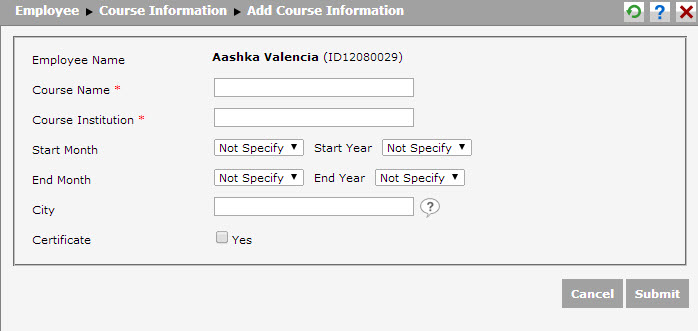
Follow these steps to add course information.
1. Course Name: Input the name of course joined by employee.
2. Course Institution: Input the name of institution or company that facilitates the course.
3. Start Month, Start Year: Input the month and year the course is started.
4. End Month, End Year: Input the month and year the course is finished.
5. City: Input the city of venue where the course takes place.
6. Certificate: Tick the checkbox if there is course certification.
After inputting the data, click  to save the data. Click
  to cancel creating new data and close the page without saving the inputted data.